01
Click on the "Prospects" Tab
Navigate to the "Prospects" section by clicking on the "Prospects" tab.
Follow the steps below to complete this action inside Marafiqy.
Navigate to the "Prospects" section by clicking on the "Prospects" tab.
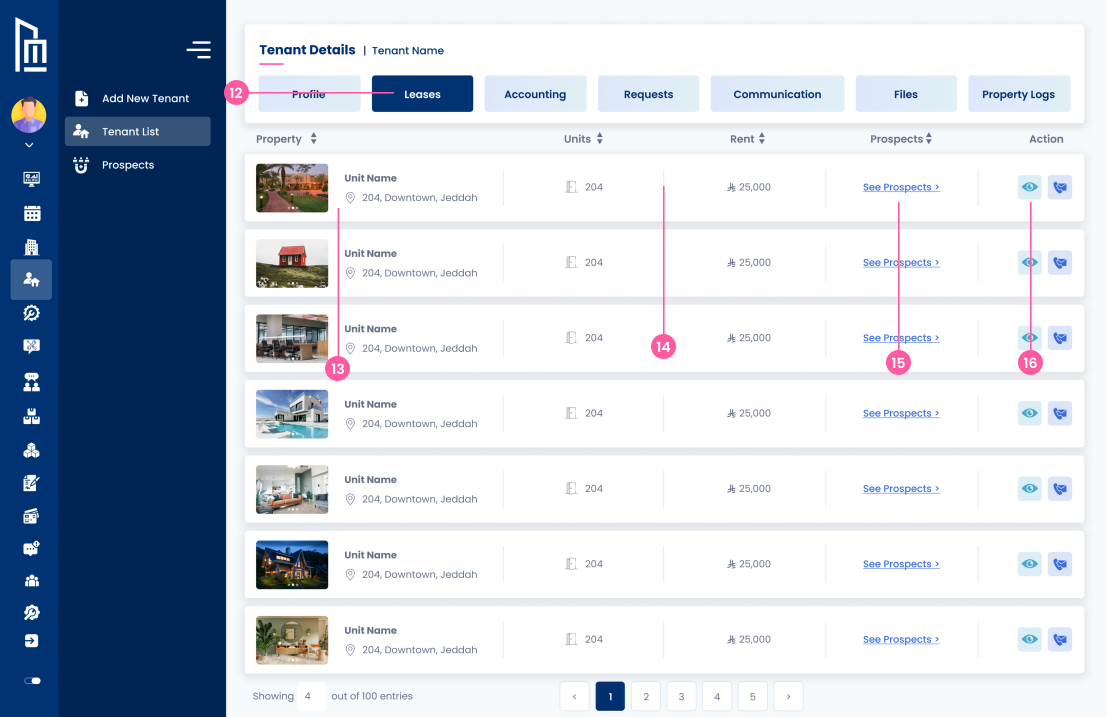
Review the list of prospects, including their name, phone number, email address, and property type.
Use the filter options to search for specific prospects by their name, lease address, or property type.
Use the icons next to each prospect to either view their information or edit details as needed.
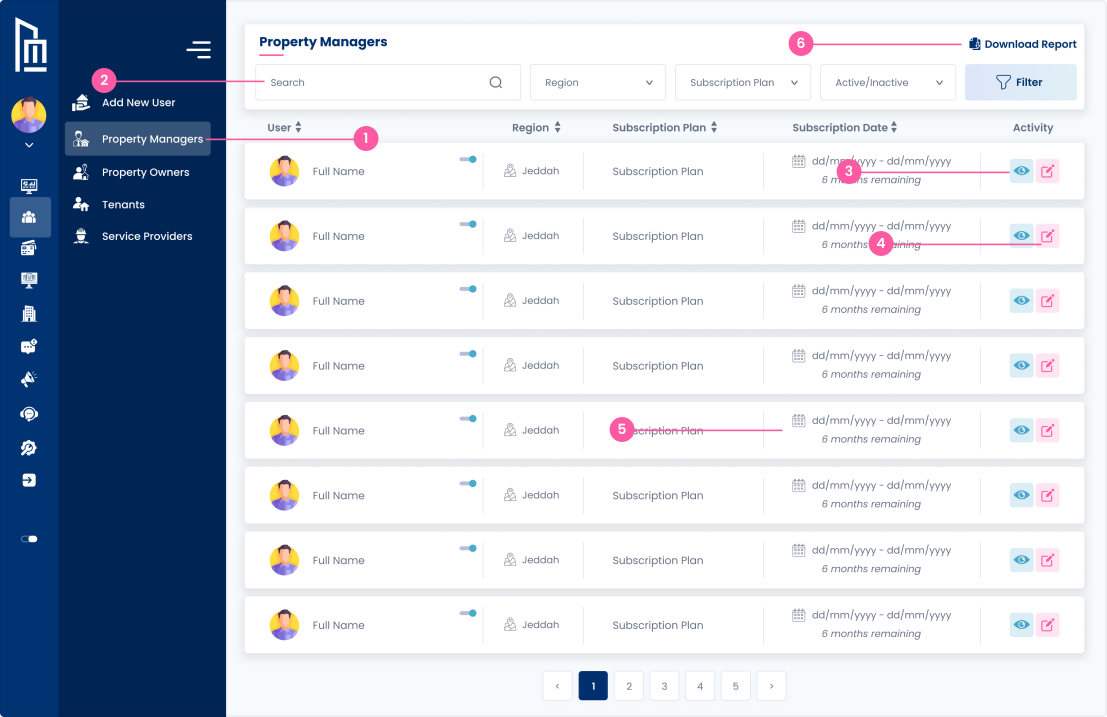
You can download a report by using the "Download Report" button on the top right.
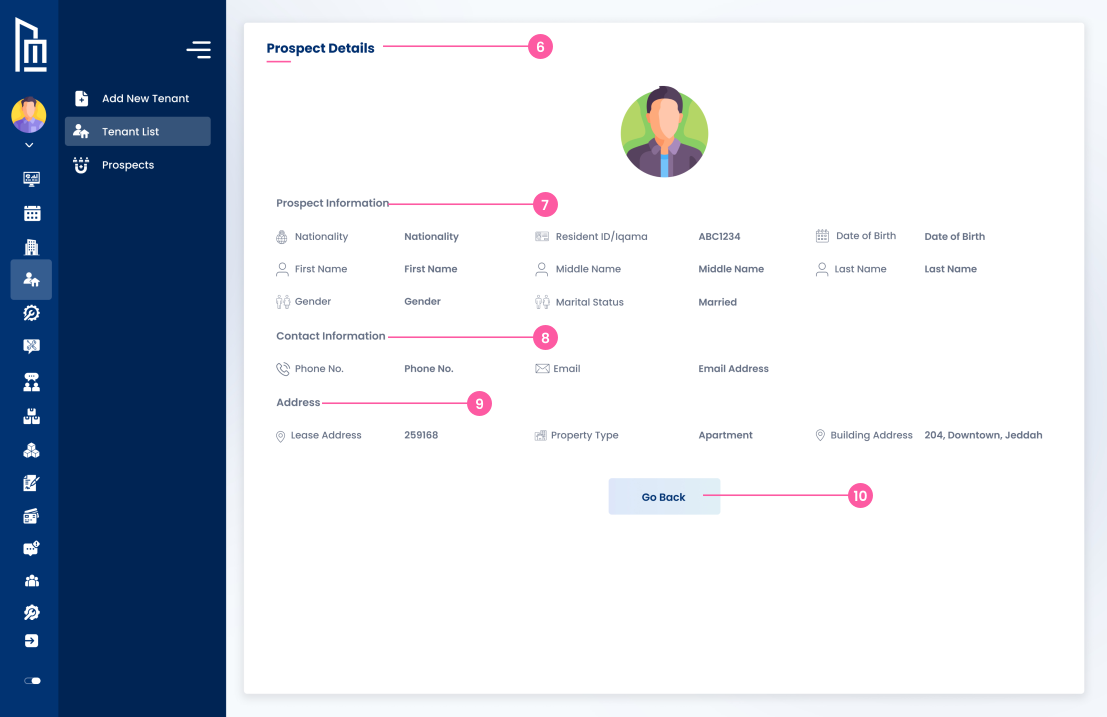
View detailed information of a specific prospect.
Contains personal details such as nationality, first name, middle name, last name, gender, marital status, and resident ID.
Includes the prospects phone number and email address.
Shows the lease address associated with the prospect, including a property type (e.g., apartment).
Use the "Go Back" button to return to the previous page.